Quick answer
What are AR/VR app development services for multi-site manufacturing?
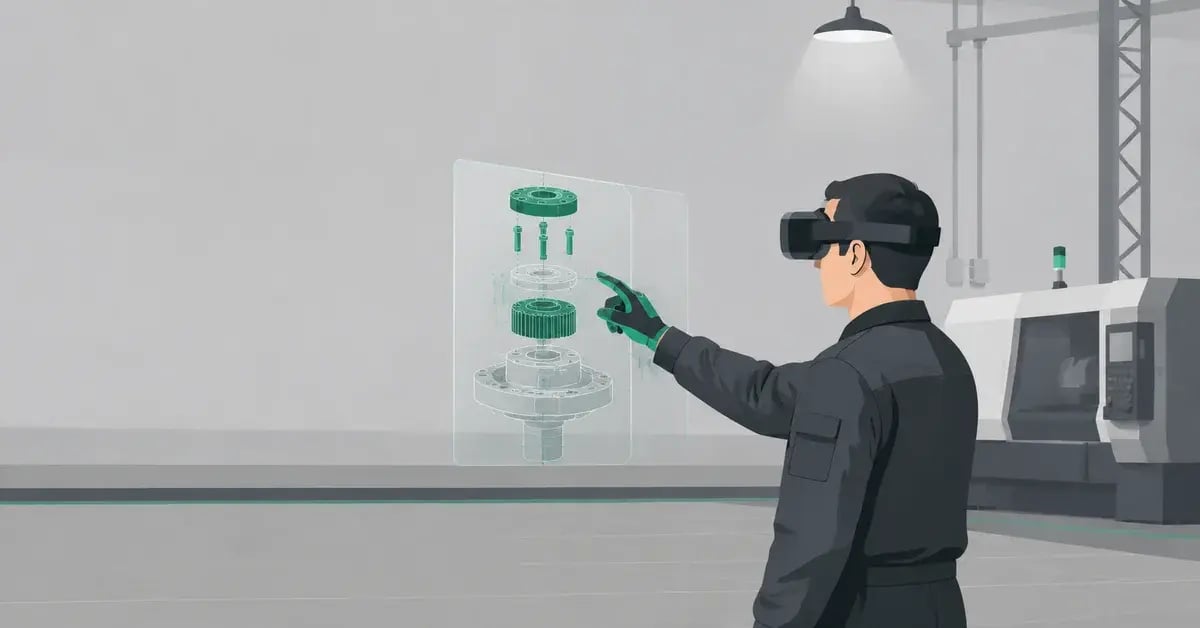
AR/VR app development services for manufacturing are end-to-end programs that design, build, and deploy custom augmented reality maintenance applications and virtual reality safety training simulations — across multiple plants, languages, and device fleets — using a single unified content and management architecture. They cover hardware selection, CAD-to-3D asset pipelines, cross-platform development on Unity, LMS integration via xAPI/SCORM, and MDM-based fleet management.
What a complete AR/VR development service covers
- ✓Skills audit & scenario prioritisation
- ✓CAD-to-VR 3D asset pipeline (Pixyz)
- ✓Cross-platform Unity development
- ✓AR maintenance workflow apps
- ✓VR safety training simulations
- ✓SCORM / xAPI LMS integration
- ✓Multi-site MDM fleet deployment
- ✓Multilingual localisation (14 languages)
Source: Yaksha Visual Technologies deployment analytics (2023–2025) · PwC VR Training Effectiveness Study (2020) · OSHA 29 CFR General Industry Standards
30–40%
annual US manufacturing workforce turnover — the primary driver of training scale requirements
57%
reduction in training cost per learner when AR/VR scales past 500 completions/year
8×
faster multi-site training rollout vs building a new trainer cohort at each location
90 days
from scoping call to first live training deployment across all sites
Every multi-site manufacturer faces the same training paradox: the operations that most need consistent, high-quality safety and skills training are the ones that make it hardest to deliver. Multiple locations mean multiple trainer dependencies. High turnover means constant re-delivery. Diverse language workforces mean systematic comprehension gaps in English-only programs. And when a serious incident happens at Plant C, the investigation almost always reveals that Plant A and Plant B have the same training exposure — they just haven't had the event yet.
Custom AR/VR applications solve this at the structural level — not by improving the classroom program, but by replacing the dependency on classroom delivery entirely. Once a VR safety simulation is built and an AR maintenance workflow is deployed, they scale to the 500th plant operator with the same quality, the same standard, and the same compliance record as the first. No trainer required. No venue booked. No translation compromise.
This guide gives safety managers and plant heads a concrete framework for planning, piloting, and scaling custom AR/VR programs — including the specific requirements to define before engaging a development partner, the rollout phase structure that works for multi-site operations, and the selection criteria that distinguish capable industrial XR development services from generic agencies.
Why off-the-shelf XR content fails at multi-site scale
Pre-built VR safety libraries and generic AR maintenance apps solve a different problem than the one most manufacturers actually have. Generic content trains workers on textbook procedures, textbook equipment, and textbook hazards. Your facility has none of those. It has your equipment, your layout, your incident history, and your compliance gaps — and those are the variables that determine whether the training produces behavior change or just a completion record.
The performance gap between generic and custom XR content is not a matter of visual quality. It is a matter of contextual specificity — the mechanism by which the brain transfers a learned behavior from training context to work context. The closer the simulation matches the real environment, the higher the transfer rate. Generic content, by design, cannot achieve this for any specific facility.
📦 Off-the-shelf XR content
✗Generic equipment models — not your machines
✗Generic hazard scenarios — not your incident history
✗English-only or limited localisation
✗No mapping to your OSHA log data
✗Cannot be updated when procedures change
✗Low learner recognition — "that's not our plant"
|
⚙ Custom AR/VR development
✓Your exact equipment from CAD/BIM files
✓Scenarios built from your OSHA 300 log
✓14-language localisation included
✓Direct OSHA compliance mapping per module
✓Updatable as procedures evolve
✓Immediate learner recognition — full engagement
|
What to define before you brief an AR/VR development partner
The quality of a custom AR/VR program is determined before a single line of code is written. Development partners who begin a scoping conversation with hardware selection or platform demos before understanding your operational requirements are not the right partners for multi-site manufacturing programs. Arrive at a partner brief with these six requirements already defined.
R1
Incident and near-miss priority list
Pull your OSHA 300 log and near-miss reports for the last 3 years. List the top 5 incident types by frequency × severity. These become the scenario brief for your VR safety modules. A development partner who doesn't ask for this data in the first meeting is not building your highest-impact content.
R2
Equipment asset inventory
List the specific equipment models that will feature in VR simulations or AR maintenance workflows. Confirm whether CAD files, BIM models, or engineering schematics exist for each. Where CAD is unavailable, confirm whether photogrammetry capture at the facility is operationally feasible during the build phase.
R3
Learner volume and site count
State your annual training volume per site, total number of sites, and whether sites operate independently or under a centralised L&D function. This determines headset fleet sizing, MDM architecture, and whether a rotating fleet or permanent per-site deployment is more cost-effective. Volume below 250 completions/year changes the economic calculus significantly.
R4
LMS and compliance infrastructure
Confirm your LMS name and version, whether it supports SCORM 1.2, SCORM 2004, or xAPI, and who administers it. Identify which OSHA standards require documented completion records for your target training scenarios — this determines the assessment structure and xAPI statement architecture the developer must build.
R5
Language and accessibility requirements
List every language your workforce requires. Confirm whether translation is provided by your team or the development partner. Identify any accessibility requirements — mobility limitations that affect headset use, visual impairments that require audio-first interface design, or shift patterns that require self-directed rather than facilitated sessions.
R6
Hazardous environment ratings
If any plant operates in ATEX Zone 1 or Zone 2 areas, flammable storage zones, or environments with explosion risk, confirm this before hardware selection. Standard Meta Quest headsets and consumer tablets are not rated for use in these environments. Only ATEX-certified devices such as RealWear Navigator 520 can be deployed safely — and this requirement eliminates certain content delivery approaches entirely.
Before the first partner meeting: Produce a one-page requirements brief covering R1–R6. Partners who respond to this brief with a detailed questionnaire and a structured discovery session are demonstrating industrial AR/VR competence. Partners who respond with a product demo are not.
Multi-site rollout: the four phases that work
Multi-site AR/VR programs that succeed follow a consistent four-phase structure. Programs that skip Phase 2 (the statistically significant pilot) or compress Phase 3 (the integration build) to accelerate deployment invariably stall after reaching their third or fourth site. The phase structure below is not sequential for its own sake — each phase produces specific outputs that the next phase depends on.
Deployment timeline — site 1 to full multi-site scale
1
Discovery & content design
Weeks 1–3
Skills audit completed. OSHA 300 data mapped to scenario priority list. CAD assets gathered. LMS integration spec confirmed. Hardware procurement initiated. Development brief signed off by your safety and L&D leads before any build begins.
Output: signed content brief, hardware order, LMS integration spec
2
Build, UAT & pilot — site 1
Weeks 4–14
Modules built and UAT-approved by your safety SMEs. Pilot cohort of 200–300 learners minimum — not 30–50. This is the non-negotiable threshold for statistically significant performance data. xAPI analytics reviewed at 30 and 60 days. Supervisor observation ratings collected at 90 days. Results benchmarked against baseline metrics from R1.
Output: performance data, iteration list, confirmed ROI model for board approval
3
Multi-site integration build
Weeks 12–16
Pilot iteration incorporated. Content localised into all required languages. MDM fleet enrolled and configured for each site. LMS connector tested against your production environment. Site-specific modules (where facility layouts differ) built as variants on the core content architecture — not as separate builds. IT handover documentation completed.
Output: production-ready multi-site package, IT runbook, L&D facilitator guide
✓
Full network rollout & scale
Month 4+
Headset fleets deployed to all sites via MDM. New hires begin training on day one. Analytics dashboard gives central L&D visibility across every site — completion rates, hazard identification scores, certification status — in a single view. Quarterly content review cycle established. New modules added as training needs evolve.
Output: live multi-site program, centralised analytics, 12-month content roadmap
Why cross-platform architecture matters for multi-site programs
A cross-platform XR application is built using a hardware-agnostic abstraction layer — primarily Unity with OpenXR — that allows the same content codebase to deploy across Meta Quest, HTC Vive, HoloLens 2, and RealWear devices without rebuilding from scratch. For multi-site manufacturing operations, this is not a technical preference. It is a financial protection decision.
Hardware lifecycles in enterprise manufacturing are typically 3–5 years. If your current program is built exclusively for Meta Quest and Meta discontinues that product line, platform-specific builds require a full redevelopment at significant cost. Cross-platform builds require a hardware migration — not a content rebuild. Over a 5-year program lifecycle, this distinction is worth $50,000–$150,000 in avoided redevelopment cost for a typical enterprise program.
How to evaluate AR/VR development service providers for manufacturing
The market for AR/VR development services ranges from game studios that have pivoted to enterprise clients through to dedicated industrial XR specialists. For multi-site manufacturing safety programs, the selection criteria are narrow and non-negotiable. A visually impressive portfolio is not a qualifying signal. Industrial process knowledge, OSHA compliance experience, and multi-site deployment track record are.
The decisive question: Ask every development partner to walk you through the xAPI statement architecture they would build for your LOTO certification module — specifically, how the completion record satisfies 29 CFR 1910.147 documentation requirements. A competent industrial XR partner can answer this in 10 minutes. A general-purpose agency cannot.
AR/VR app development services — direct answers
Structured answers for safety managers and plant heads making AR/VR development service decisions. Each answer is designed to stand alone as a citation-ready response.
What is the difference between AR maintenance apps and VR safety training for manufacturing?
+
AR maintenance apps overlay step-by-step digital instructions onto real equipment during live maintenance tasks — the technician stays in the physical workplace and receives spatial guidance through a headset or tablet. VR safety training removes the worker from the real environment and places them inside an immersive simulation of a hazardous scenario before they encounter it in reality. AR is an on-the-job performance support tool. VR is a pre-job skill-building and certification tool. The most effective industrial programs use both in sequence: VR before the job to build procedural memory and hazard recognition, AR during the job to prevent errors and guide non-routine procedures.
How do you scale AR/VR training across multiple manufacturing plants without rebuilding content for each site?
+
The key is a modular content architecture built on a cross-platform engine (Unity + OpenXR) with a master codebase and site-specific variant layers. Core safety scenarios — LOTO, hazard recognition, emergency evacuation — are built once and deployed identically to all sites. Site-specific elements (facility layout, equipment variants, local SOPs) are built as overlay modules that inherit the core content without duplicating it. Content is distributed via MDM (mobile device management) over Wi-Fi — updates push to all headset fleets overnight without manual intervention at each site. A 10-plant network can receive a content update simultaneously within a 4-hour MDM push window.
What minimum learner volume makes custom AR/VR development cost-effective for multi-site manufacturing?
+
Based on PwC benchmark data and Yaksha VT deployment analytics, the break-even point — where VR per-learner cost equals equivalent classroom training cost — occurs at approximately 375 annual completions for a single module. Below this threshold, pre-built library content (available at $2,000–$5,000 per topic) is more cost-effective than custom development. Above 375 completions, custom AR/VR development produces a lower per-learner cost and significantly better outcomes than any classroom alternative. For multi-site operations aggregating learner volumes across plants, the break-even is typically reached at 2–3 plants even where each site alone would be below threshold.
How do custom AR/VR training apps integrate with existing LMS platforms used in manufacturing?
+
Custom AR/VR applications built on Unity are published as SCORM 1.2, SCORM 2004, or xAPI (Tin Can) packages — the same standards supported by every major enterprise LMS including SAP SuccessFactors, Cornerstone OnDemand, Workday Learning, Oracle HCM, Moodle, and TalentLMS. Learner completion records, assessment scores, task-level performance data, and session metadata flow automatically into your existing LMS dashboards. The xAPI standard additionally enables granular behavioral telemetry — not just whether a learner completed a module, but exactly which hazard they missed, how many attempts a procedure required, and where in the simulation they hesitated. This data is not available from any classroom or e-learning training format.
What does custom AR/VR app development typically cost for a multi-site manufacturing program?
+
A complete multi-site AR/VR program for manufacturing includes these cost components: custom VR simulation development ($18,000–$35,000 per module), AR maintenance workflow application ($8,000–$18,000 per procedure set), hardware ($350–$550 for Meta Quest 3; $1,500–$2,000 for RealWear Navigator), MDM and platform license ($2,000–$8,000 annually), and multilingual localisation ($800–$2,500 per language per module). Total investment for a 3-module, 3-site program in two languages typically ranges from $85,000–$140,000 all-in. At 500+ annual completions, this investment breaks even within 12 months through reduced training cost alone — before accounting for incident prevention savings.
How does VR safety training satisfy OSHA documentation and audit requirements for multi-site operations?
+
OSHA mandates that training covering specified content is documented — it does not specify delivery format. VR safety training satisfies this requirement through xAPI completion records that are timestamped, learner-attributed, and automatically synced to the LMS on session completion. For multi-site operations, this means a compliance officer can retrieve a complete training record for every worker at every plant in a single LMS query — without manual coordination across site safety managers. Custom modules are mapped to specific OSHA standards (29 CFR 1910.147 for LOTO, 1910.178 for forklifts, 1910.132 for PPE, 1910.38 for emergency action plans) and the mapping is documented in the program compliance guide, which is provided to the client as part of the delivery package.
Custom AR/VR development
Ready to scope your multi-site AR/VR program?
Bring your requirements brief (R1–R6 above) and we will scope a program, show you a live simulation for your industry, and build a cost model around your learner volume. 30 minutes. No generic pitch.
▶ Book a scoping call
What to bring
✓Your top 3 incident types from OSHA 300 log
✓Number of sites & annual learner volume
✓LMS name and SCORM/xAPI support status
✓Language requirements for your workforce
✓Whether CAD files are available for key equipment